Blog · · 4 min read
10 Halloween Frames for Your 360 Photo Booth, Ready for This Weekend
Halloween is on Saturday and your booth is booked. Guests will show up in capes, masks and witch hats, and every clip they post will carry your booth's look. A plain clip is fine. A clip with pumpkins, bats and a full moon around the spin is the one people share.
Easy 360 now has a Halloween set: 10 new frame designs, each in two versions, made for 9:16 360 videos. Below is every one of them on the same sample clip, which party each one fits, and how to switch your booth over in two minutes.
The 10 Halloween frames
Every frame keeps the middle of the video clear, so the people spinning are never covered. Pick the one that matches the party, not the one you like best.
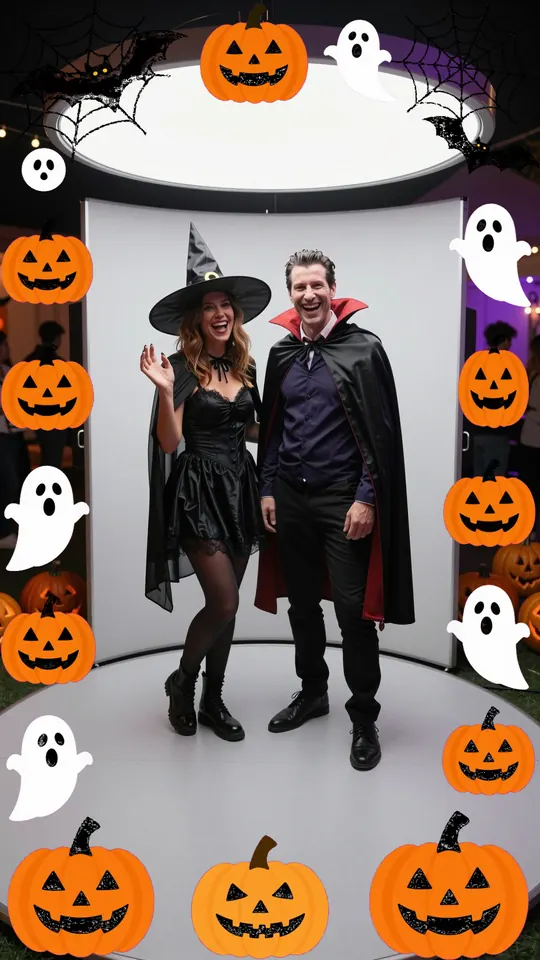
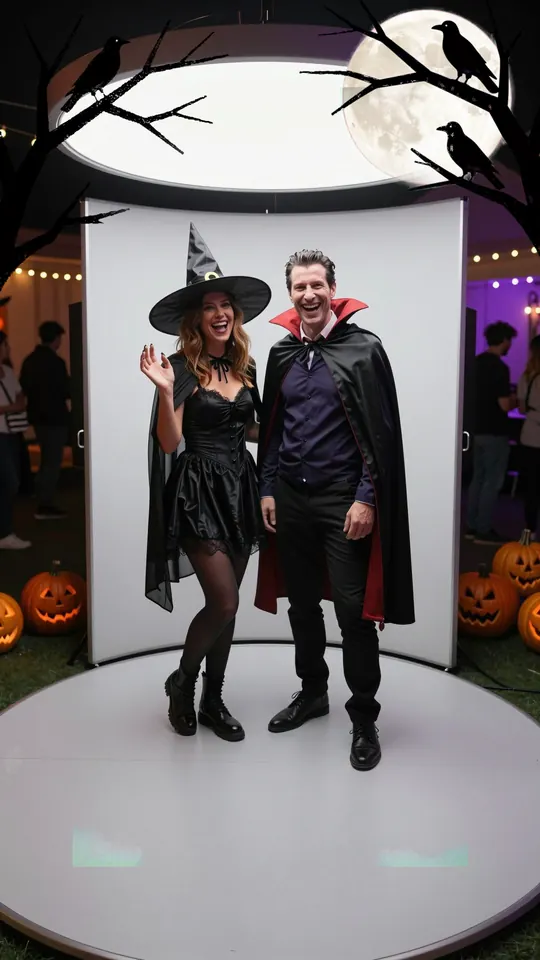
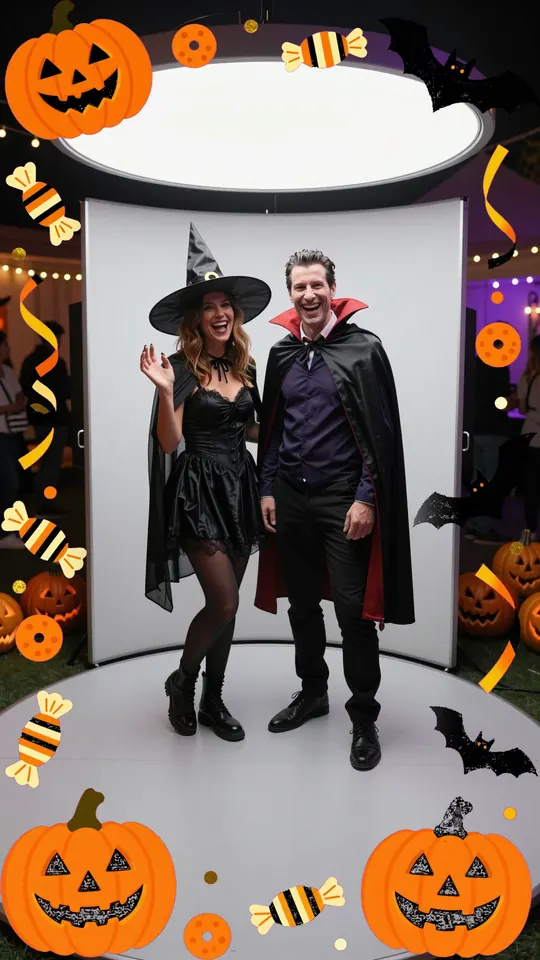
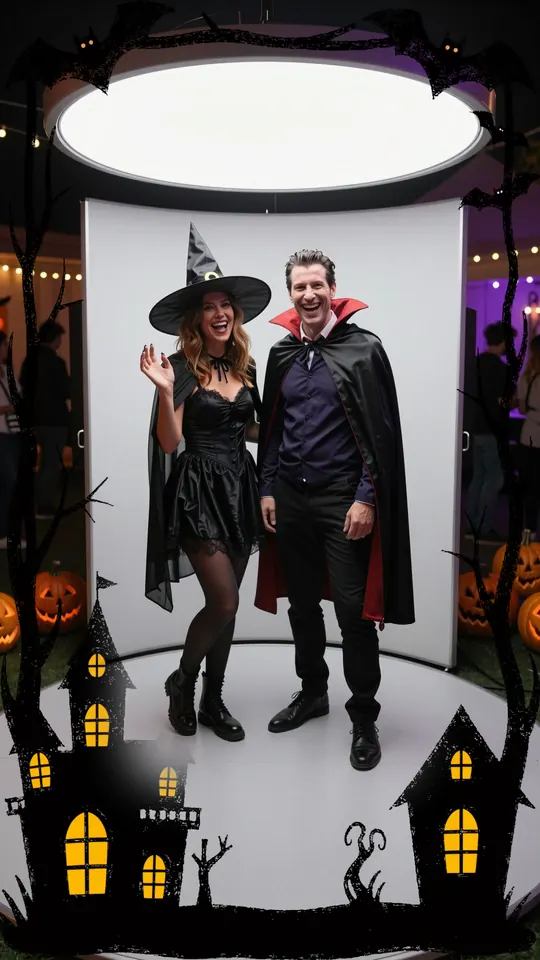
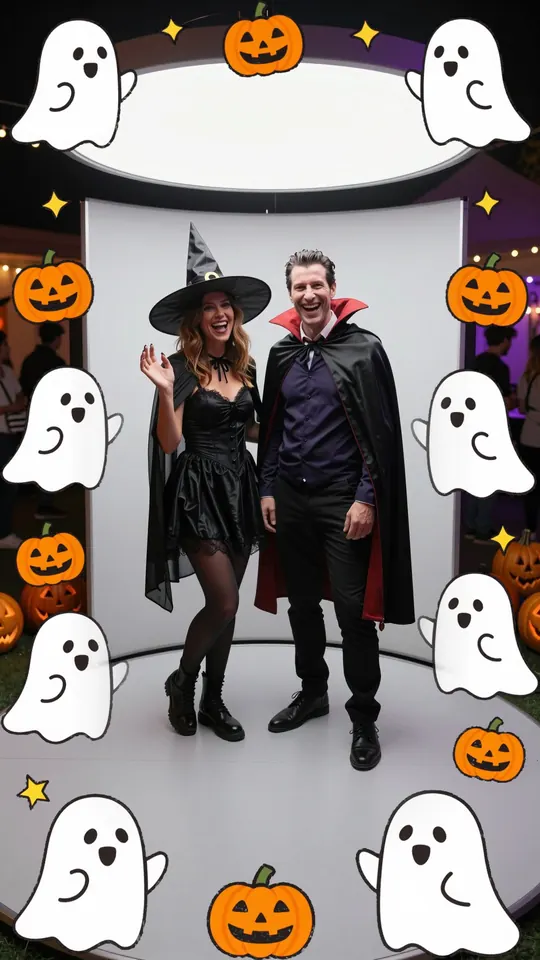
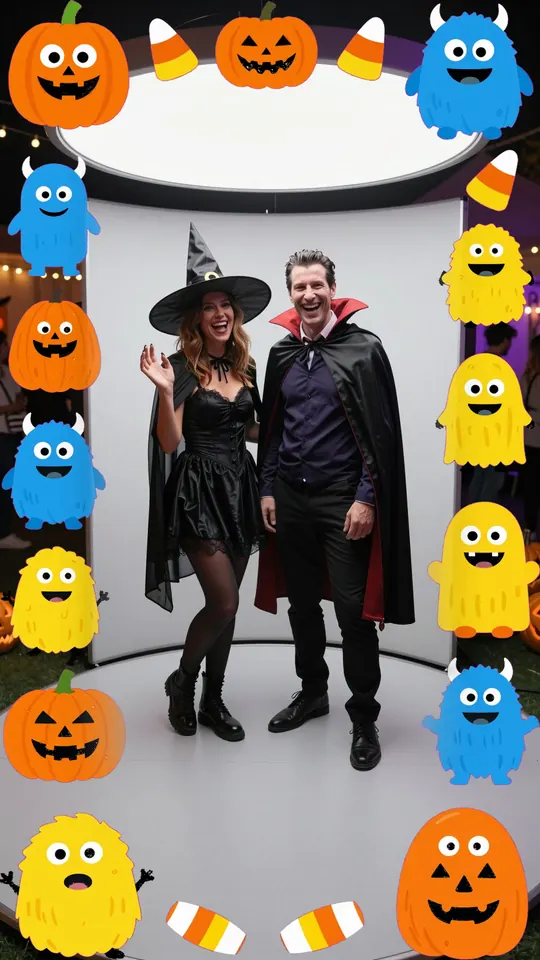
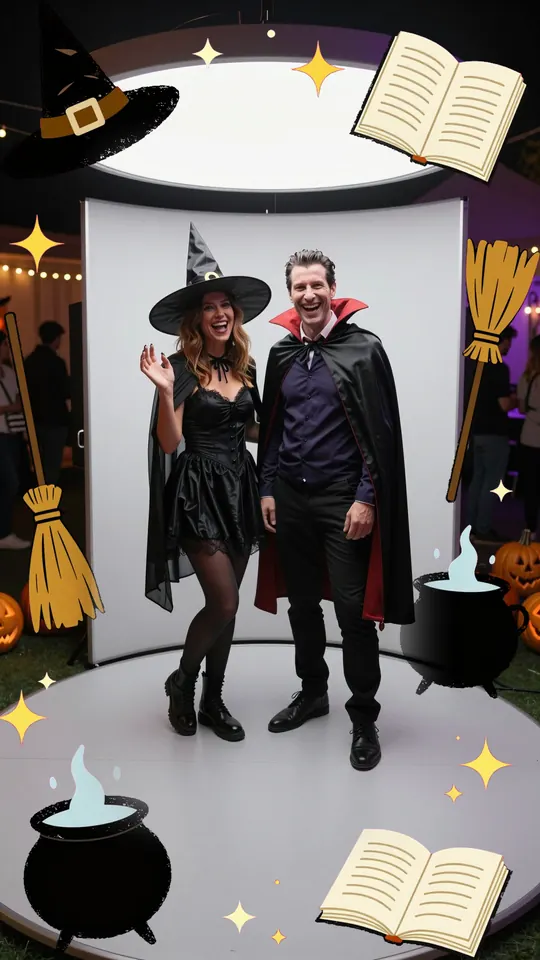
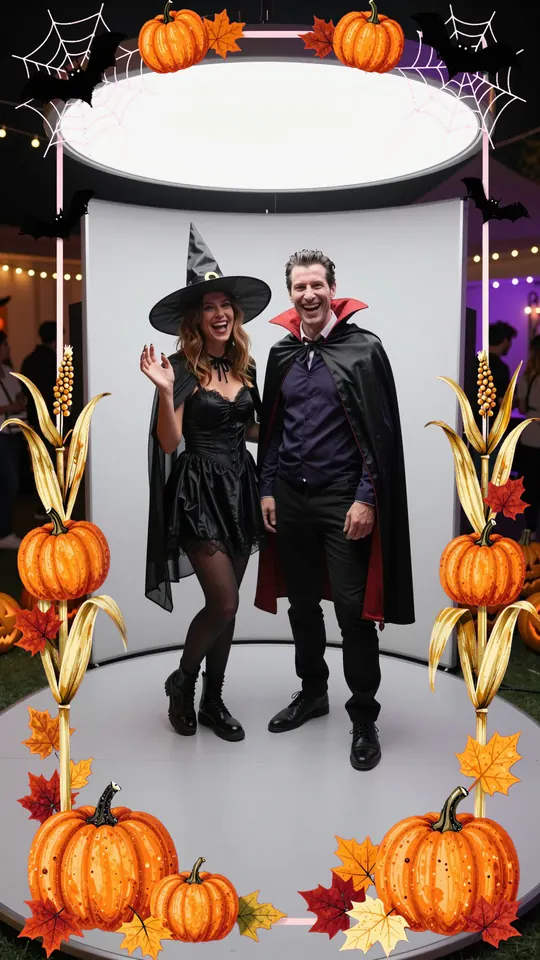
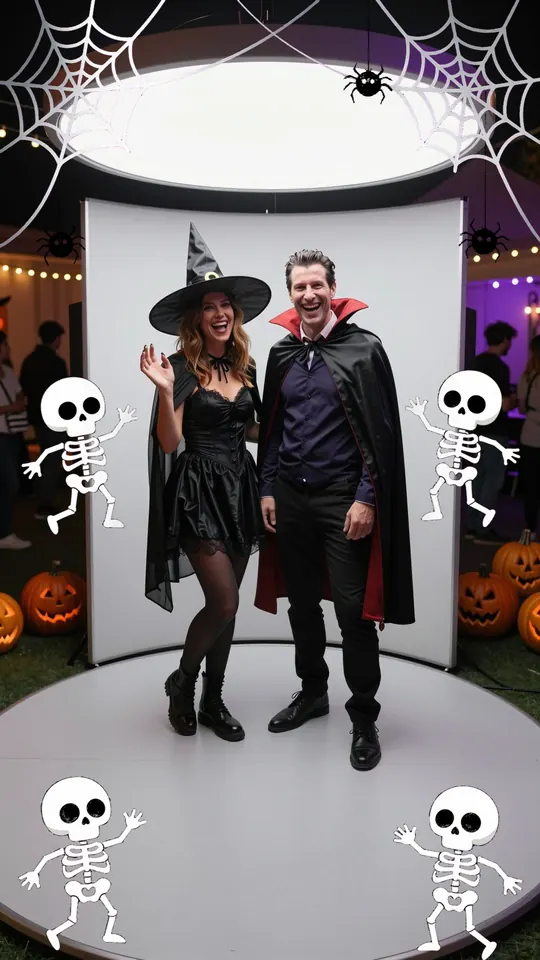
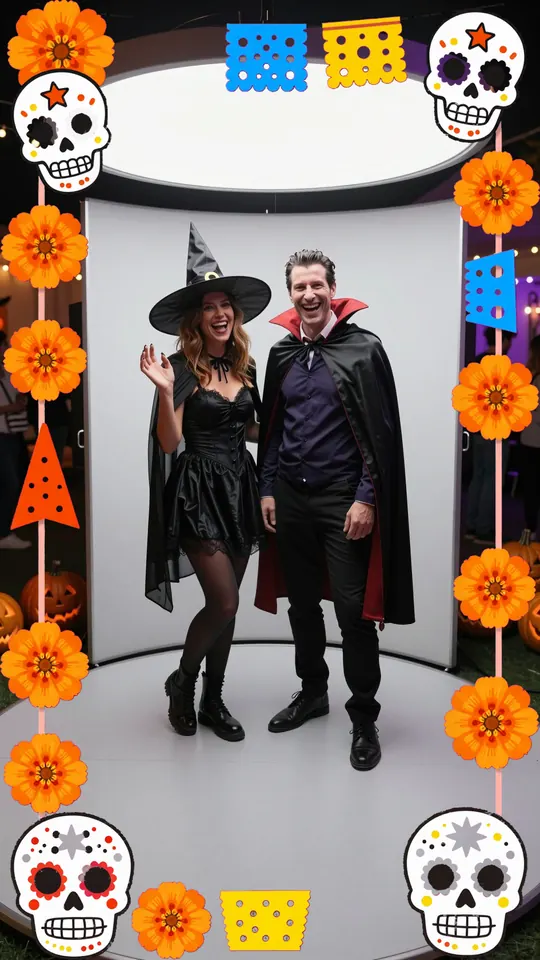
Each picture shows one of the two versions of the frame. The app has both, with different layouts.
Set it up in two minutes
- Open Easy 360 on the phone or tablet that goes on the arm. If you do not see the Halloween category, update the app from the App Store or Google Play, or open the web app, which already has it.
- Go to Settings → Frame & text and tap the Halloween category. Día de Muertos is under All Frames.
- Pick a frame. Each one has a preview, so you see what the clip will look like before you save.
- Add a title if you want one. Under Text on the clip, type something like Halloween Night 2026 or use {event} to print the event name.
- Save and do one test spin. Check the clip on the QR page the way a guest would see it.
The frame is added on our server after the spin, so it does not slow the booth down and guests still get their QR code right after each clip.
Free to try, Premium for the night
The frames are not locked. You can pick any of them on the free plan and test them at home today. What the free plan does not cover is the party itself:
- 10 recordings a month. A busy Halloween booth records 80 to 150 clips in a night.
- A watermark on every clip. Your guests share the video, and the watermark goes with it.
Premium removes both: unlimited recordings, no watermark, plus your own intro and outro and the video guestbook. Two ways to have it on for Halloween:
- Monthly plan with a 7-day free trial (€19 a month on the web). Start the trial today and Halloween weekend is covered before the first payment.
- Weekly plan (€9 for a week on the web) if this is your only booking for a while. More on that in how to pay for one event.
Prices are a bit higher inside the iPhone and Android apps because the stores take a cut. The same account works on the web and on your phone.
Get your booth ready for Halloween
Try the frames free, then switch on Premium before the party.
Open Easy 360

Three things that make Halloween clips better
- Light the faces, not the room. Halloween venues are dark on purpose. Keep a ring light or LED panel on the platform, or masks and dark costumes turn into shadows. The lighting guide has the setups.
- Slow down for capes. Long capes and dresses fly out during the spin. A slower speed keeps them inside the shot, and slow motion makes them look great.
- Tell guests to save the clip this week. Put a line next to the QR code: "Scan and save your Halloween clip."
Questions people ask
Are the Halloween frames free? Yes. Every preset frame works on every plan. On the free plan, clips also carry a watermark and you get 10 recordings a month.
Do the frames work for photos too? These frames are for the 360 video clips.
Can I use my own Halloween frame? Yes. In the same screen you can upload your own 9:16 PNG with a transparent middle, or just add your logo and the app builds the frame.
Can I change the frame during the party? Yes. Pick another one in Settings and the next clip uses it. Clips already recorded keep their frame.
Do guests need an app? No. They scan the QR code and the clip opens in their phone's browser, ready to save or share.
The short version
Pick the Halloween frame that matches your party, add a title, do a test spin today. Then switch on Premium (start the 7-day free trial, or buy one week) so Saturday has unlimited clips with no watermark.